
Clientish Documents
Step-by-step guides for every module, from your first workspace to proposals, billing, support and automation.
Clientish Help Center: Ready Articles, Search and Ticket Suggestions
The 25 starter articles, who sees which article, how the ticket form suggests answers, and the numbers that show what helped.
The Help center in Clientish is your own library of how-to articles for your clients, inside your client portal. Clients look up answers on their own, such as how to pay by bank transfer or ask for a revision, and open fewer tickets for questions you’ve already answered.
Who can do it: the workspace owner and admins, and team members whose role has Edit Company Settings. Every client can read it.
What Is the Clientish Help Center?
It’s a page called Help center in your client portal menu, filled with articles that you write and manage under Settings → Help center.
- Articles are grouped into categories, and clients can search them by title and text.
- Each article has its own audience: All clients, Clients of these services or Team only.
- Articles can carry bold text, lists, links and images.
- When a client starts a ticket, the articles that match the subject are offered first.
- You see how often articles are read and whether they helped.
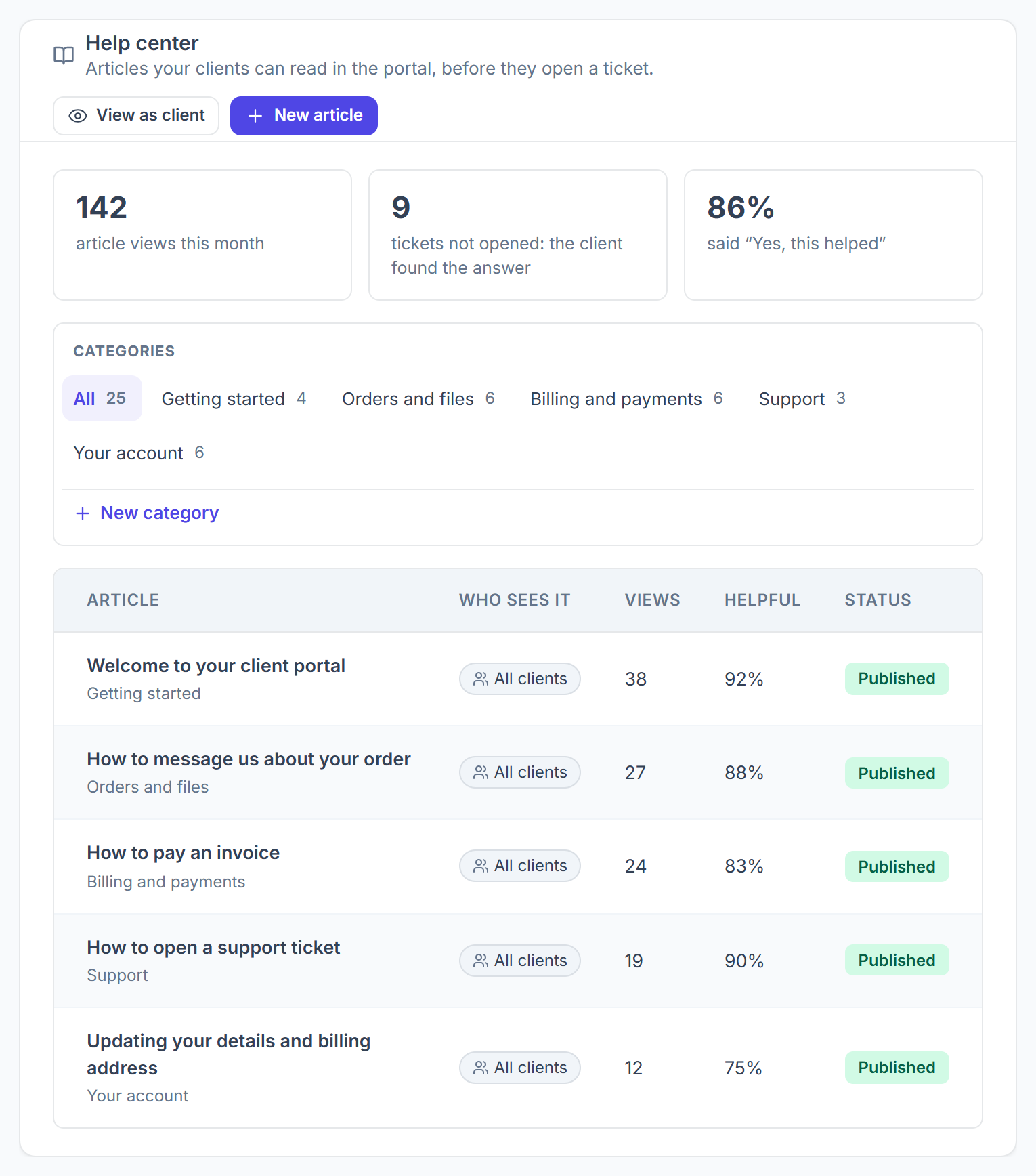
Which 25 Articles Does the Help Center Start With?
Every Help center opens with 25 finished, published articles in 5 categories, so clients have answers from day one without any setup.
They are written to your clients in your voice (“we”, “us”) and never mention Clientish. Steps for things only some agencies turn on are written as “if you see…”, so no article promises a button a client can’t find. Edit, rename, move or delete any of them; an article you’ve never edited picks up improved wording when the starter set is updated, and anything you changed stays as you wrote it.
What Do Clients See in the Help Center?
Clients open Help center from the portal menu and land on a search page with your categories and the most-read articles.
- A search box under How can we help?, plus popular articles as quick links.
- A card for each category with its article count; a click lists the articles.
- A Popular list of the 5 most-read articles.
- On each article, Was this helpful? with Yes and No, and up to 3 related articles from the same category.
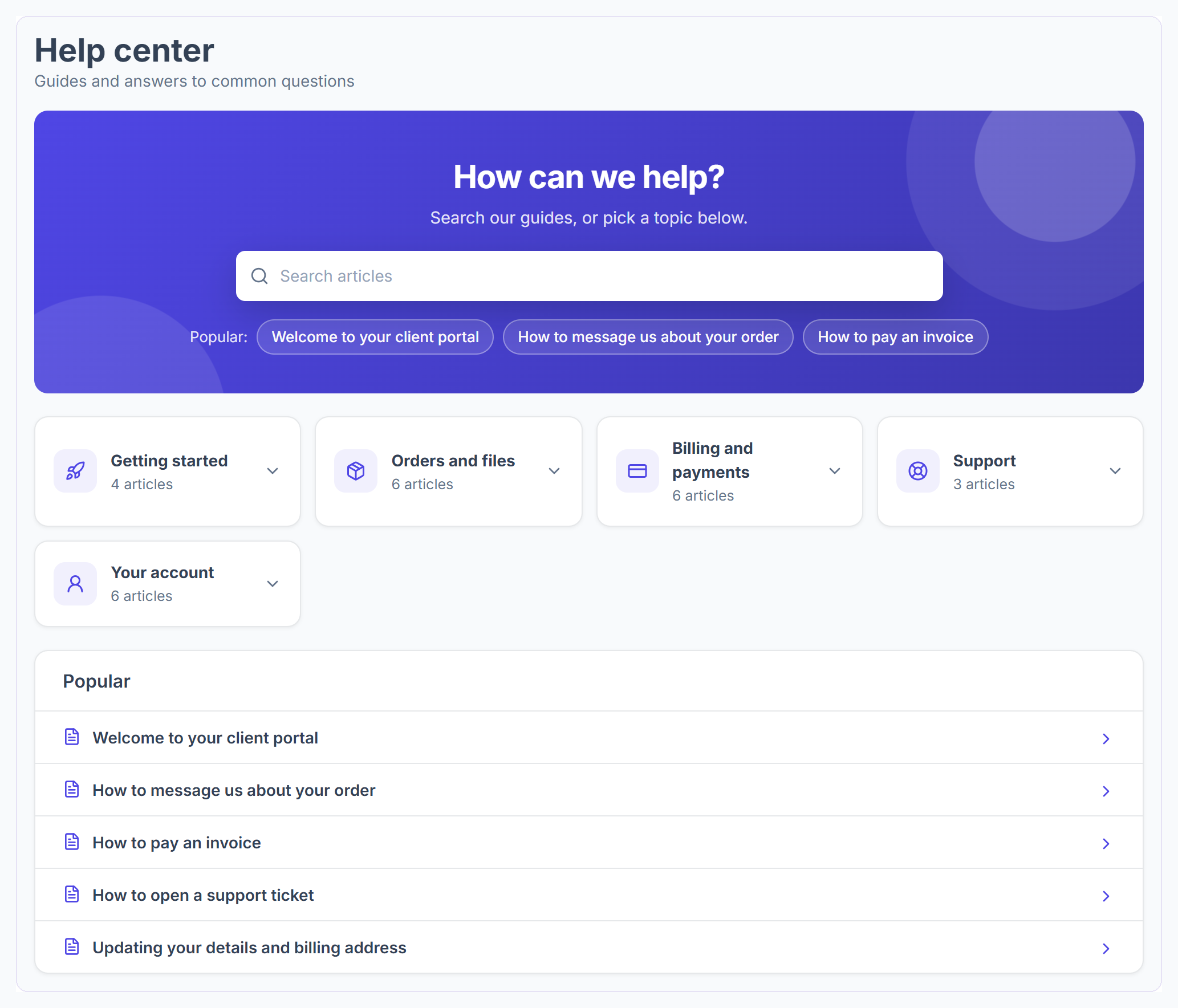
A client sees only published articles meant for them. Members of a client’s own team see the same articles as the client account they belong to.
How Does the Help Center Cut Down Support Tickets?
It puts the right article in front of the client right when they’re about to ask, and lets you answer a ticket with a link instead of a long reply.
- When a client types a ticket subject, up to 3 matching articles appear under These might answer it. If one solves it, the client clicks That answered it and no ticket is opened.
- In a ticket reply, Insert help article adds a link to an article. Only articles that client can open are offered.

How to Track Help Center Results
The top of Settings → Help center shows three numbers for the current month, and the article list shows views and the helpful rate per article.