
Clientish Documents
Step-by-step guides for every module, from your first workspace to proposals, billing, support and automation.
Clientish Service Pricing Options: Tiers, Setup Fees and Payment Links
What tiers, a first-invoice setup fee and pay-without-login links each do, where clients see them, and how they work together.
Service pricing options in Clientish let one service sell at more than one price, add a one-time setup or trial fee to a recurring service, and share a link anyone can pay without signing in. Your catalog stays short, and clients still choose the level of work that fits them.
Who can do it: the workspace owner and admins, and team members whose role has Create Services (new services) or Edit Services (existing ones)
What Pricing Options Can a Clientish Service Have?
Besides its main price, a service can have three extras, each set on the service itself.
How Do Pricing Tiers Work in Clientish?
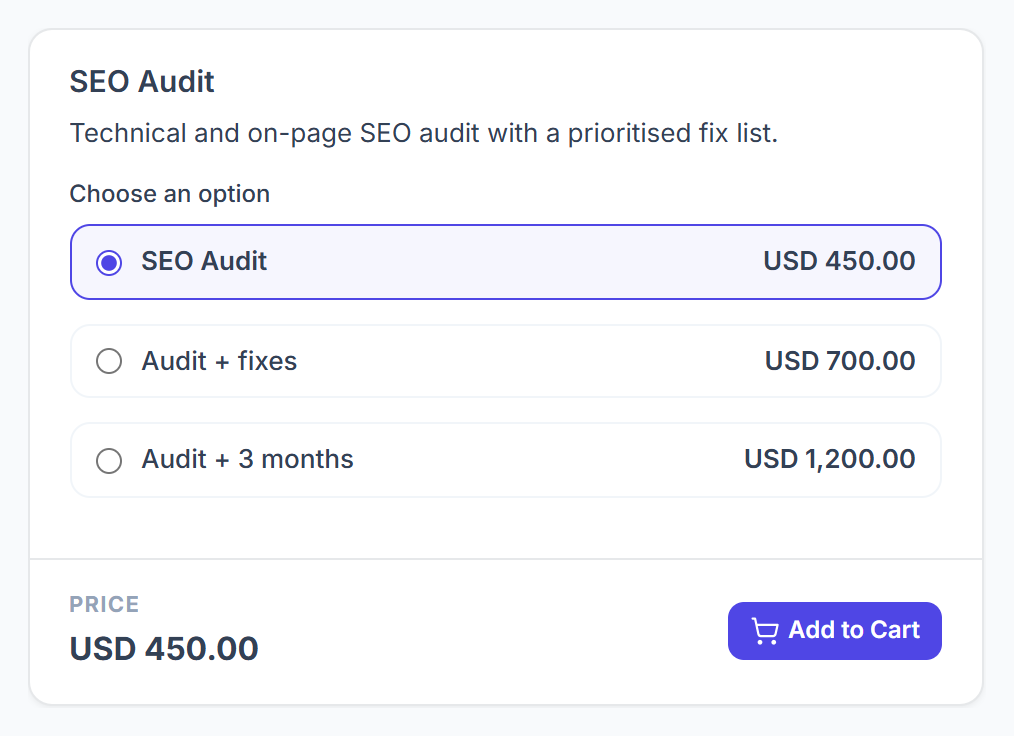
Pricing tiers turn one service into a short menu of prices: the main price is the first option, and each extra option has its own label and price.
- In the client portal, the service card lists every option with its price under Choose an option, the main price first under the service’s own name. With more than 5 options, or a main price of 0, it becomes a Select pricing drop-down.
- The client picks one option before adding the service to the cart, and that option’s price is charged.
- When your team creates an order, a Pricing option field picks the tier.
- An option left without a price is charged at the main price.
- If the main price is 0, the client must choose one of the extra options.
How Does a Setup Fee Work on a Recurring Service?
A setup or trial fee is charged once, as its own line on the first invoice, and never on renewals.
- The line is named after the service, for example “Website Care Plan – Setup fee”.
- It is added wherever the first invoice is made: your order forms, the client portal cart, converting a lead, and orders your team creates. In the portal cart it is marked “(first invoice only)”.
- A coupon that covers the service also discounts its setup fee. A coupon for other services does not.
- A payment link does not add the setup fee.
How Do Payment Links Work With Pricing Options?
A payment link charges one price once. On a one-time service with tiers, Get Payment Link asks Which option does this link charge?, so each option gets a link of its own.
- On a recurring service, the link charges the main price, without the setup fee.
- A link stays the same until it is paid, then a fresh one replaces it.
- The full steps are in Payment Links.