
Clientish Documents
Step-by-step guides for every module, from your first workspace to proposals, billing, support and automation.
How to Add a Setup or Trial Fee to a Recurring Service in Clientish
Turn on recurring billing, check the fee box, enter the amount, and see where the one-off line appears for clients.
A setup or trial fee in Clientish adds a one-time amount to the first invoice of a recurring service, such as onboarding work before a monthly retainer starts. Renewals are billed at the normal recurring price.
Who can do it: the workspace owner and admins, and team members whose role has Create Services (new services) or Edit Services (existing ones)
Before You Begin
- Know the one-time amount and what it pays for, so you can say so in the service description.
- If the fee covers a trial or first period, say in the service description what the first invoice includes.
How to Add a Setup Fee in Clientish
Make sure recurring billing is on
Go to Settings → Payment Settings and check that Recurring billing is turned on. Without it, services can’t be recurring.
Make the service recurring
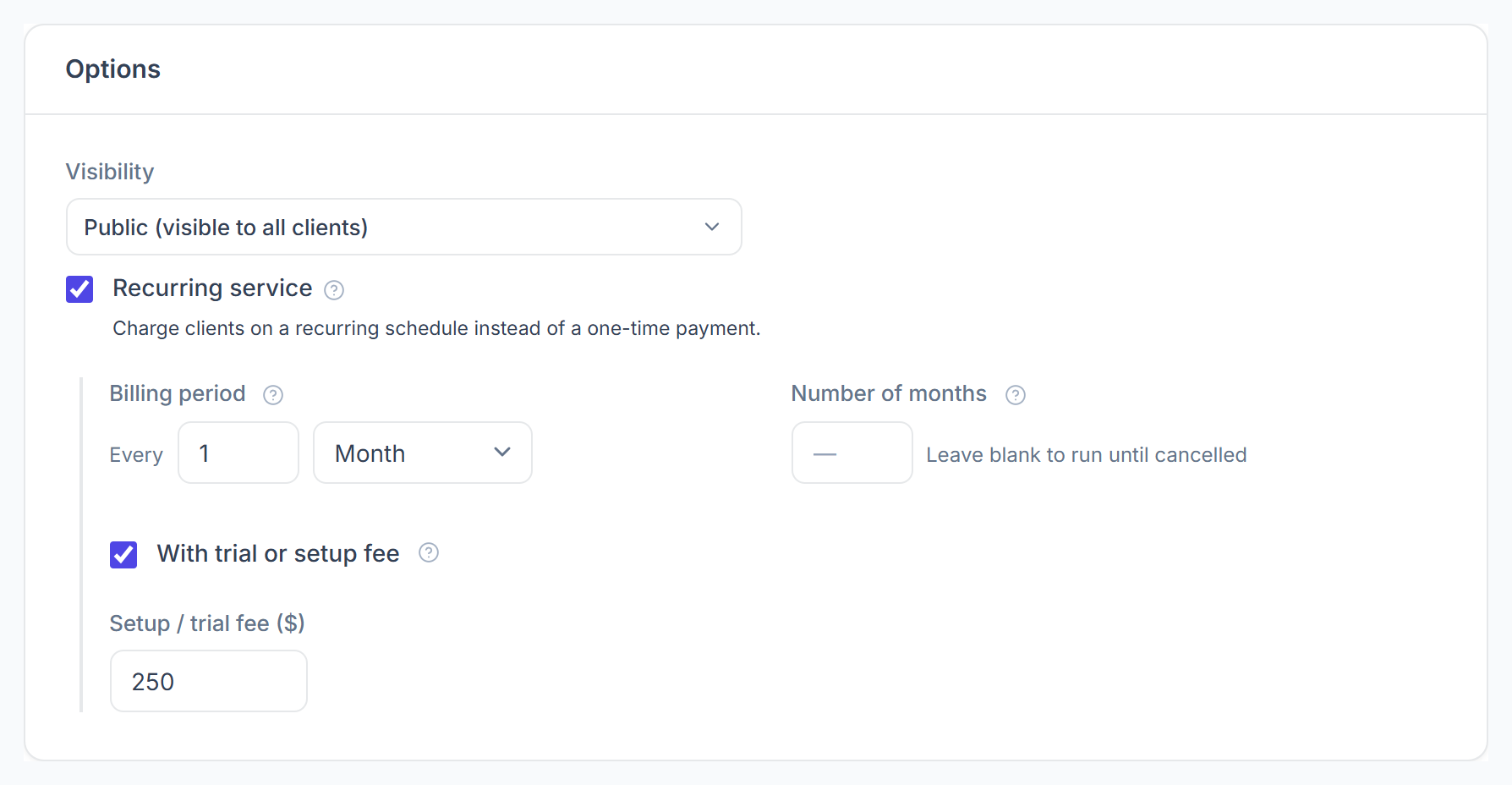
In the Options card of the service form, check Recurring service, then choose how often it bills under Billing period. See Recurring Services for the other recurring settings.
Add the fee
Below the billing period, check With trial or setup fee, then type the one-time amount into Setup / trial fee. It’s charged once, on top of the recurring price.
Save the service
Click Create Service or Save Changes. New purchases of the service now carry the fee on their first invoice.
Where Does the Setup Fee Show Up?
The fee shows as a separate line named after the service, such as “Website Care Plan – Setup fee”, on the first invoice only.
- In the client portal cart, the line is marked “(first invoice only)”.
- It is added on your order forms, in the portal cart, when you convert a lead and on orders your team creates.
- A coupon for the service also takes its share off the setup fee.
- A payment link does not add it, so use the portal or an order form when the fee must be charged.